About HRMS Bihar (Human Resource Management System Bihar)

HRMS Bihar Portal Login (hrms.bihar.gov.in)
HRMS bihar, is the best online system to serve the employees who are working under government. Its like an all in one digital office made by the Bihar government for all the government employees to make life easier as there is no need any more to go to any office physically.

- As HR systems operate in Private companies, similarly governments also require a set up to manage the tasks like employee records, salaries, leaves, attendance, performance, and pensions
- In early times it was proceeded manually and that brings alot of mistakes as well as delays
- To run the process smoothly,faster and transparent, Bihar government introduced HRMS bihar portal which work equally for current/on service employees as well as the retired staff.
- Alot of paper work have been reduced ,its time saving, minimize the chances of errors and developed the whole system more proficient.
- This truly exhibits the agenda of Bihar government of adopting new technology for smart governance.
- Above 6 lakh government employees are taking benefit of its use.
- It offer many areas of working which includes payroll, E-service book, Leave management, Cadre management and even offers loans for car, house or laptop computer.
- After logging in , employees can:Download their salary slips, Add their updated details, Submit leave and check remaining balance, Track the service history,Can submit loan application or advance payments
Registration Process for HRMS Bihar
Before taking the start with HRMS bihar portal, all government employees should register themselves first with the portal, here is method of registration
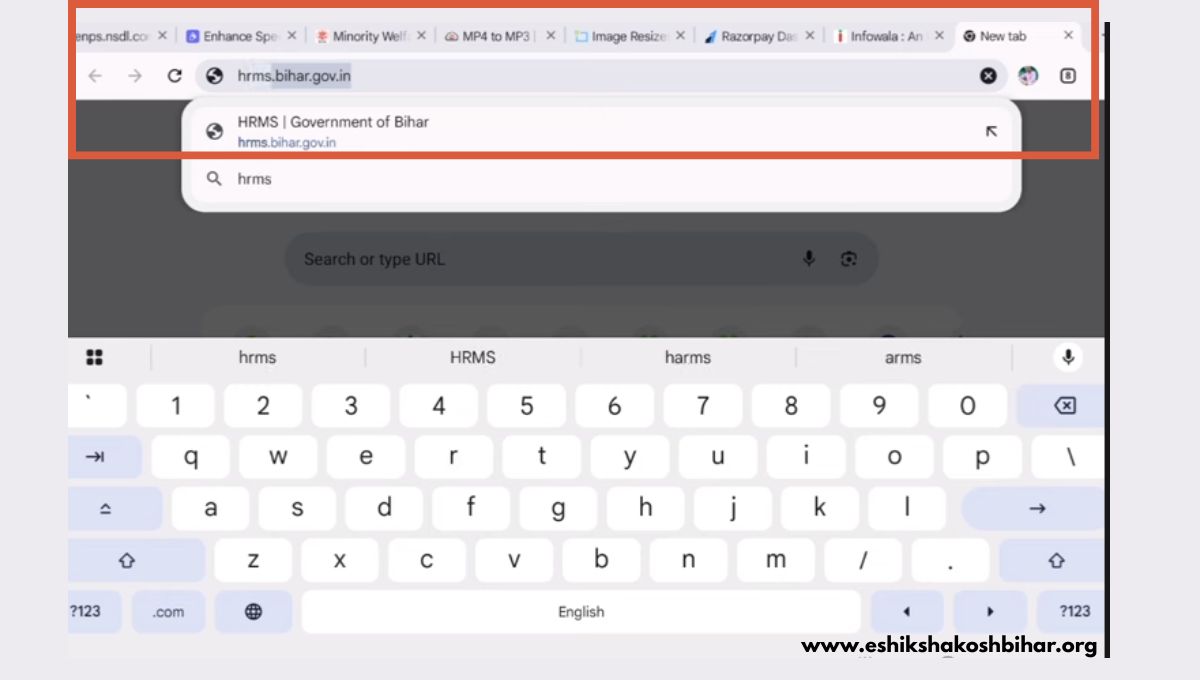
Who Can Register
Documents Needed
- An active mobile number and email ID for verification.
- Identity proof Aadhaar card or PAN card
- Valid address proof current and permanent address
Process of Registration
Important Note
No Self registration of employees are allowed . Only registration through HR channels will be proceed to completion with all accuracy and security
HRMS Bihar Login Process
After receiving the login details , employees can once access the full access of HRMS portal, keeping in mind the steps:
How to login:
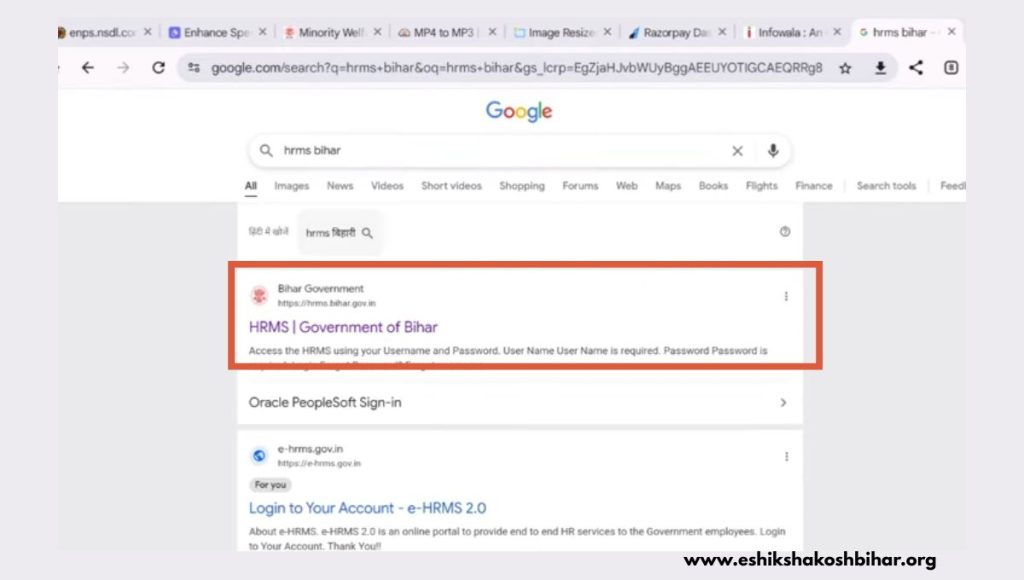
- Go to the Official portal of HRMS Bihar:
- Submit the User ID and Password
- Solve the captcha and give the code on screen
- Go to the login button to get login
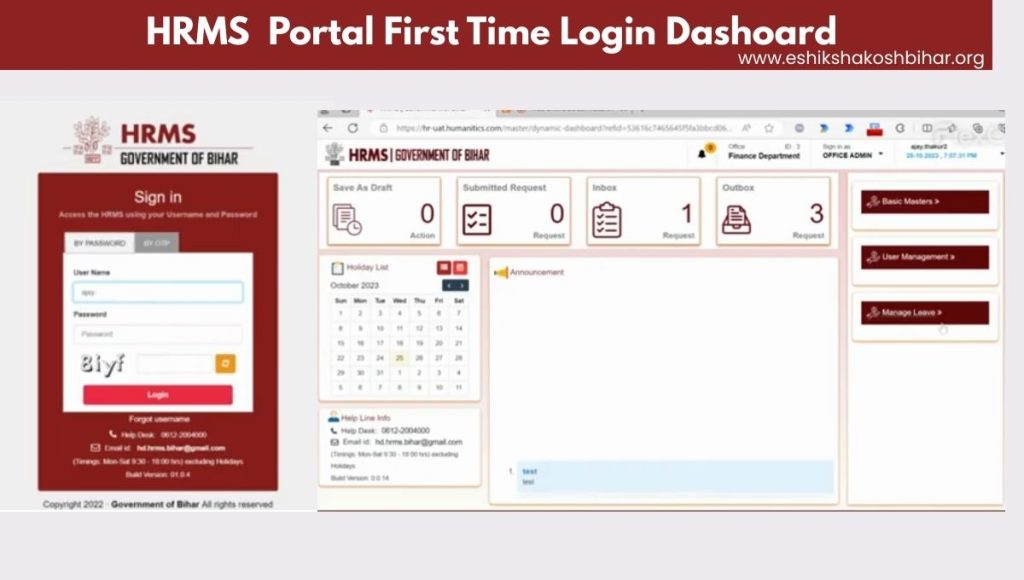
After logging in, main dashboard appear so employees can view pay slips, leave tracking data, service record and more.
How to Reset HRMS Bihar Username/Password
There is a simple way to reset password in HRMS Bihar portal, so in case of forgetting the password a simple way to reset it as follows:
Steps of Password Resetting
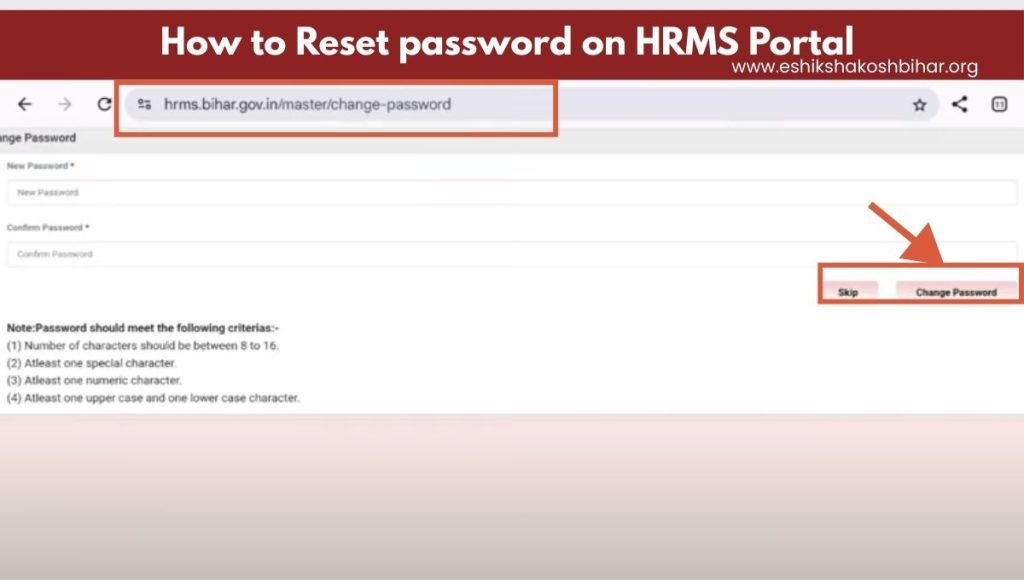
After completing the verification, you will get a USER ID and a temporary password issued by government
- Go to the HRMS Bihar official portal
- Click on th e” Forgot password” tab.
- Give your User ID provided by government
- Click on to send OTP
- Provide the exact OTP received
- Set a new password and confirm it
- Go to the “Change Password”
- These password and user id would also be sent to registered mobile number or active email.
Your new password is updated, use the password for logging into the portal
Building up your Profile on HRMS Bihar
Once you logging in, its time to update your profile
How to Update Profile

- First go to the “Profile” tab in the main dashboard.
- Give your personal information , that include contact, family and bank details
- Submit all the relevant documents like ID proof, appointment letters etc
- Save all the change by click on “Save” button.

Practical Uses of HRMS Bihar
| User Group | Key Use Cases |
|---|---|
| HR Departments Officials | They simply inspect the performance of employees this in turn help them to make decisions timely . Also make reports department wise Bulk employees data managment |
| Employees | It help them to proceed the job related task easily like leave apply, approval status tracking Check their service book, salary slips and service record Submit the query and complaints and get the updates timely. |
| Retired Personnel | keep their pension records update their information and bank data Easy download pension certificate and tax statement. |
Features of HRMS Bihar Portal
HRMS Bhar is equipped with number of essential features that make HR management system for Bihar government and its employees.It includes
1. Best Performance Management
The HR system contain best performance management model and it helps in:
- Keep the record of how employee performing the job
- Generate a performance report by applying set rules and standards
- Based upon the reports senior officers can decide easily who deserves promotions.
- As the promotions linked with performance so it motivates employees to work better
2. Smart Payroll System
To deal with salaries of employees is always complex and prone to mistake, but Usage of HRMS make it automate,
- By checking the attendance, leaves and paygrade, salary is calculated
- Deduction of PF and taxes processed automatically
- System reduces delays in salary and use of paperwork and workers can download the salary slips.
3. Digital Attendance and Time checking
To keep record of employe’s daily attendance is a hard task manually. But HRMS smooth this as well,
- The portal invigilate the in and out times of employee automatically so no need of manual check
- It closely check late arrivals, early departure,and supports biometric attendance systems
- A whole history is created so that enables HR with reviews and audits.
4. One-Click Leave Management
- With all ease employes can apply the leave, review the remaining leave balance and also get update for its approval
- To report officers, system auto-route the request to make the process smooth and fast
- It also provide support to all leave type like earned, casual and medical leave
5. Secure Document Handling
- Its easy to upload and manage the document ID proofs, certificates and letters
- All data provided stay secure and easily accessible from any place.
6. Complete Service book/Career Record
Employees can check:
- Complete detail of their entire service and career proceedings
- Previous and current job positions, any transfers, promotion and deputations
- Any disciplinary action needed (if any)and all training records
7. Instant Updates & Notifications
Both employees and the governing body receives:
- Instant updates and notification for approval or rejection of any requests
- Get alert through SMS or email for any new circular or against any action like salary disbursement
8. Retirement & Pension Tools
Those who retired:
- Calculate their pension and get latest updates
- Update any time their bank details or and nominee information.
- Track the progress of Gratuity with other benefits as well
Benefits of Bihar’ HRMS online Portal
The use of HRMS Bihar portal upscales the performance of both employees and administration by providing the following benefits:
1. Data Security
The information or data of employee submitting into portal is highly sensitive details, So HRMS enables:
- Using user ID and password offers secure login
- Access into particular role increase the data security
2. Accessibility & Convenience
- Through web portal, easy and fast access from any place
- Equally work good for desktop, laptop, and mobile
- To visit the HR office, no need to go there saves alot of time
3. Enhanced Productivity
By the automotive tasks,
- Payroll management
- Updates of leave
- Attendance record enables the HR and staff to do more strategic and smart work.
4. Cost Effective
- Minimize the cost of all HR operations
- Reduce the use of paper and cut down the physical storage
- Give the idea about better budget for employees salaries and benefits
5. Fair & Accountable System
- Timestamps are used to record all task and action
- Allow a fair approval and promotions , and HR processes.
- .
Accountable work environment generates good results
6. Faster Grievance Tracking
- Grievance can be registered online
- Complete tracking of grievance and its online status
- Faster action through interlinked management system
How HRMS Bihar Improves Digital Governance
HRMS Bihar is not just now a digital portal , its a great initiative towards a smarter and paperless governance,
HRMS Support/ Helpline
HRMS is all open to support it users by three ways
- Portal help desk number (0612-2004000 / hrmshelp-bih@nic.in) – 8 AM to 10 PM daily
- 48 District NIC Centers – Hardware/software issues
- HR Directorate Patna – Policy/legal disputes

Conclusion
Bihar government is taking revolutionary steps to keep empowering the government employees through digital solutions. HRMS is a best initiative to serve the employees by automating the HR function employee services like salary, leave, attendance, and documents in one place.
The system improves efficiency, saves costs, and ensures fairness with transparent processes. Overall, it supports Digital India by promoting paperless, faster, and smarter governance.
For more information you can visit: https://eshikshakoshbihar.org/